ChatGPT vs Gemini for Diwali Posters, Hindi Text and Menu Cards: We Tested Both
We gave both tools three jobs an Indian shop or café needs done this festive season and checked every letter, price and phone-number digit. The surprise: Hindi text now works.
The short version
- Both got everything right. ChatGPT and Gemini spelled every word, price and phone-number digit correctly on the first try in all three of our tests.
- Hindi text works now. Both produced a correctly spelled Devanagari poster first time. A year ago, AI images turned Hindi into broken letters.
- ChatGPT's designs looked more finished, even on the free plan. Gemini's were cleaner but plainer, and carry a small watermark.
- Canva is still the best place to adjust, resize and reuse a design across Instagram, WhatsApp and print.
Festive season is when many Indian small businesses make their year, and when they need the most creative work: Diwali offer posts, WhatsApp catalogue updates, Instagram covers, menu cards and shop banners. Until recently that meant paying a designer or wrestling with templates late at night. Today, a phone and a free or low-cost AI tool can produce most of it.
The catch has always been text. AI image tools were notorious for misspelling words, scrambling phone numbers and mangling prices, and Hindi was hopeless. So we tested whether that's still true, using the two assistants most Indians already have access to: ChatGPT and Google Gemini.
How we tested
- Same day, same prompts: each test used an identical prompt in both tools, in a fresh chat, on 29 October 2026.
- First result only: we scored the first image each tool produced, with no retries or edits.
- Plans: ChatGPT on its free plan; Gemini on a paid Google AI plan. If anything, that favours Gemini.
- Checked by eye: we read every letter, digit and price in each image against the prompt.
Test 1: A “Diwali Sale: Flat 20% Off” poster in English
Prompt: “Square Instagram poster for a Diwali sale. Use exactly this text: headline ‘Diwali Sale: Flat 20% Off’, below it ‘Sharma General Store’, and at the bottom ‘Call 98765 43210’. Festive but clean design, maroon and gold colours, diyas, clear readable text.”

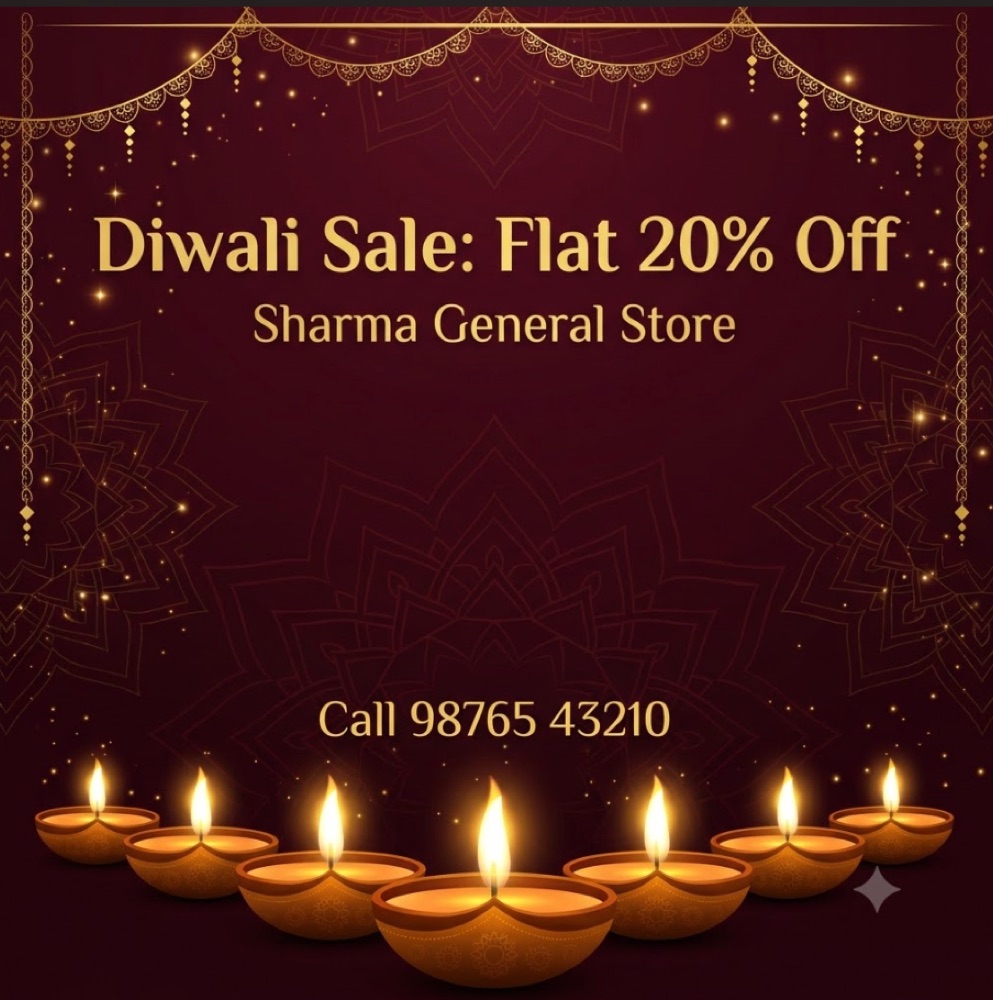
Both tools spelled every word correctly and reproduced all ten digits of the phone number, which is the detail AI image tools have historically fumbled. The difference was design. ChatGPT produced something that looks like a finished shop poster: a big, bold headline, a framed phone number, and lanterns and diyas filling the corners. Gemini's version was tasteful but under-designed, with a small headline and a large empty space in the middle. It also carries a small Gemini ✦ watermark in the bottom corner.
Test 2: The same poster in Hindi
Prompt: the same as above, with the text “दिवाली सेल: सभी सामान पर 20% की छूट”, “शर्मा जनरल स्टोर” and “कॉल करें: 98765 43210”.
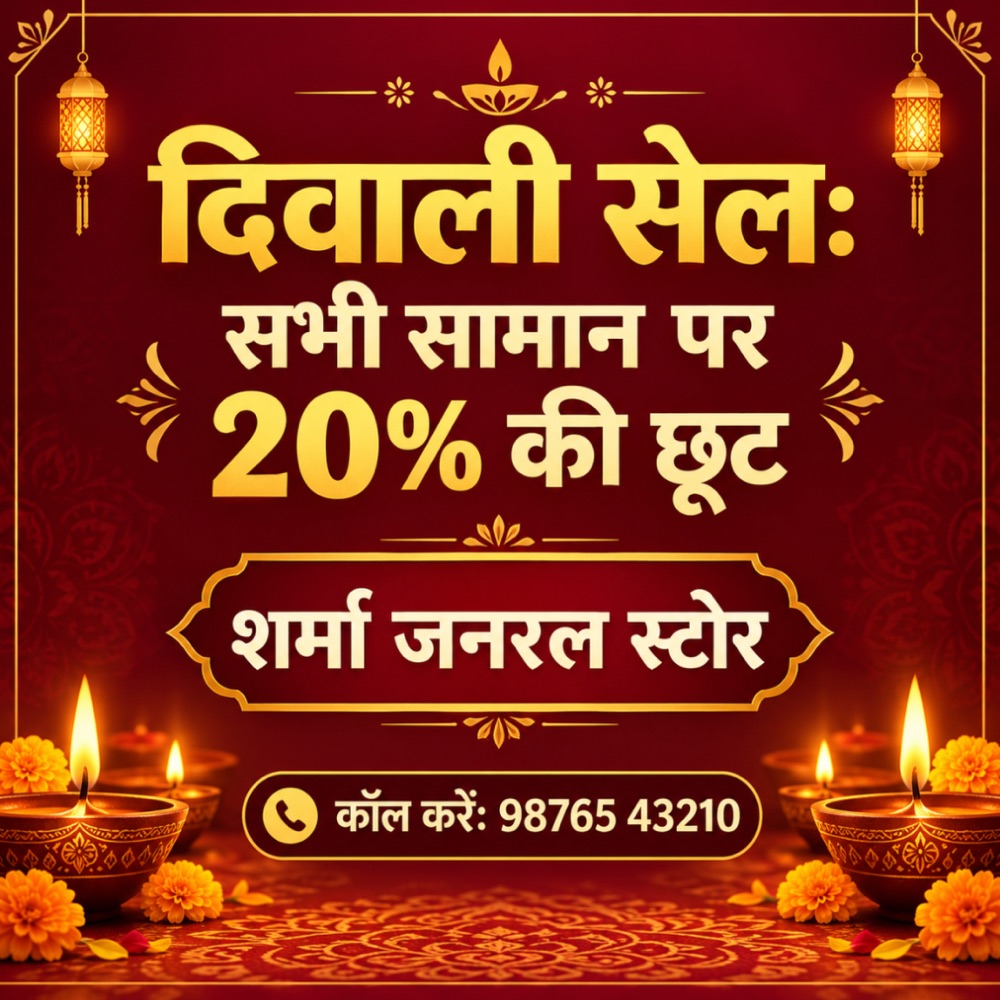
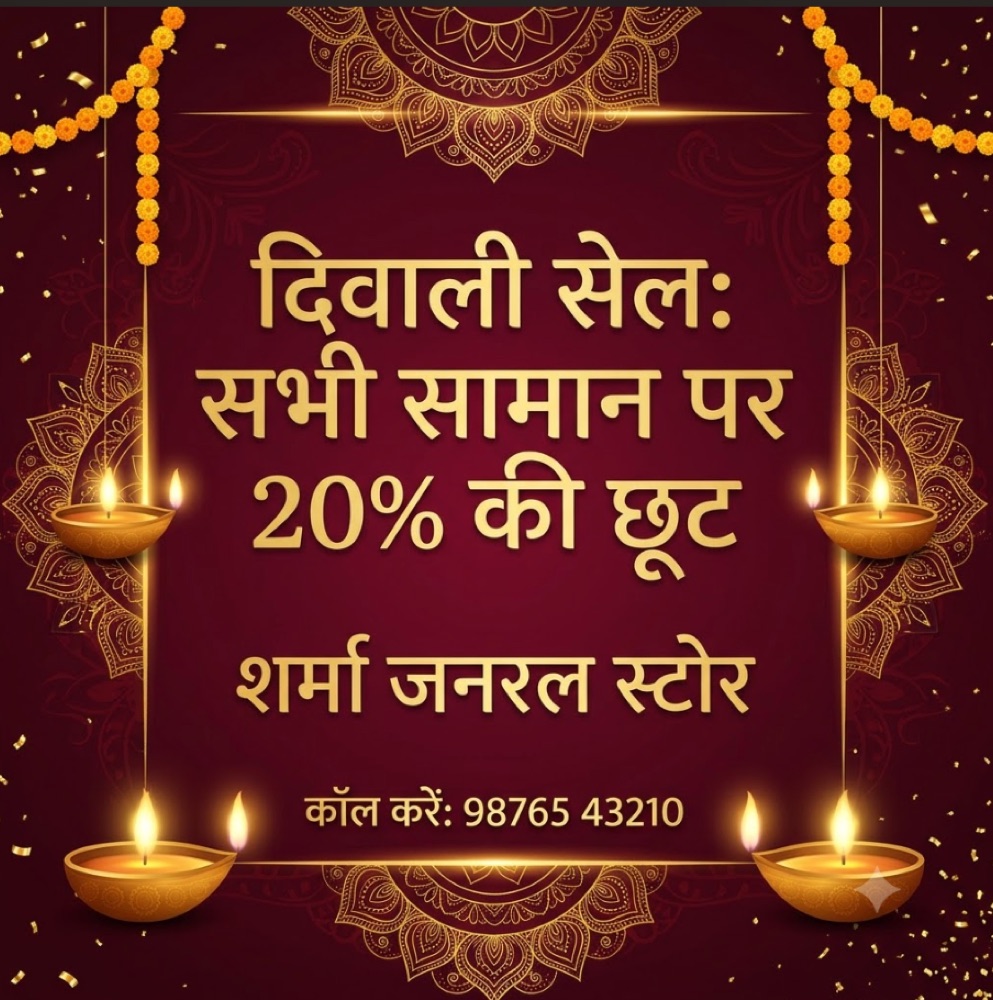
This was the test we expected both tools to fail. Until recently, Devanagari in AI images came out as broken matras and invented letters. Both tools got it right first time: every word, the half-letters in शर्मा and स्टोर, the chandrabindu in करें, and the phone number. The only quirk, in both, is that the colon after सेल is drawn like a visarga (ः), which most readers won't notice.
For small businesses, this is the most important finding in this article. A Hindi or bilingual festive post no longer needs a designer or a separate trip to Canva just for the text.
Practical tip: in ChatGPT, pressing Enter didn't send a prompt containing Hindi text. Click the send button instead.
Test 3: A café menu card with prices
Prompt: “A5 portrait café menu card, clean modern design. Title ‘Chai Point Café’. List exactly these items with prices: Masala Chai ₹30, Filter Coffee ₹40, Samosa (2 pcs) ₹40, Veg Sandwich ₹80, Paneer Wrap ₹120, Gulab Jamun (2 pcs) ₹60.”
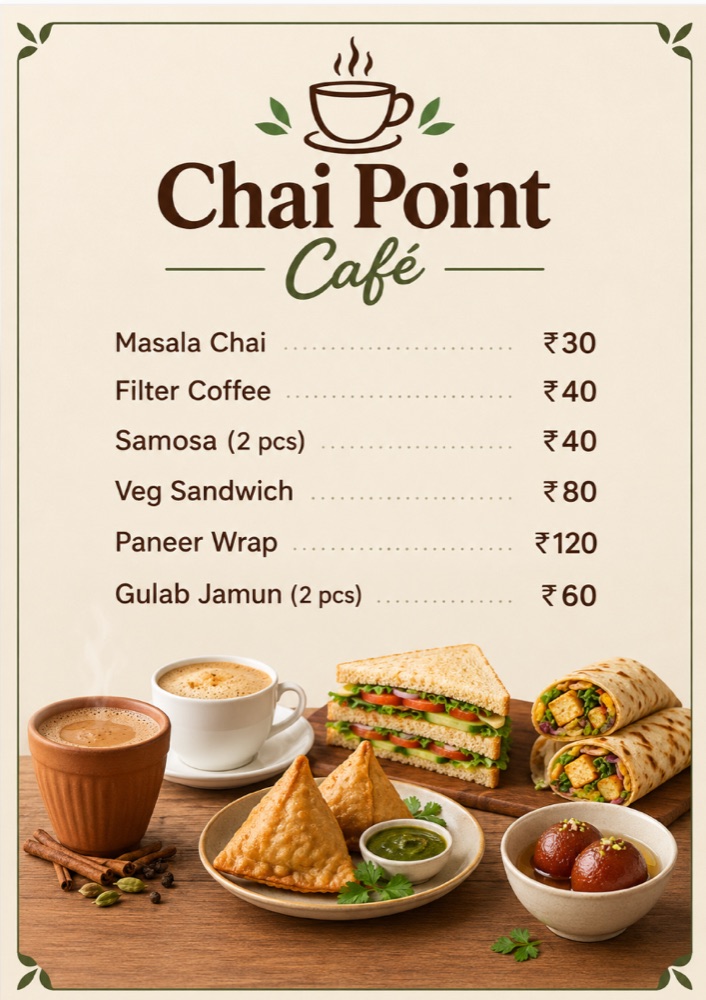
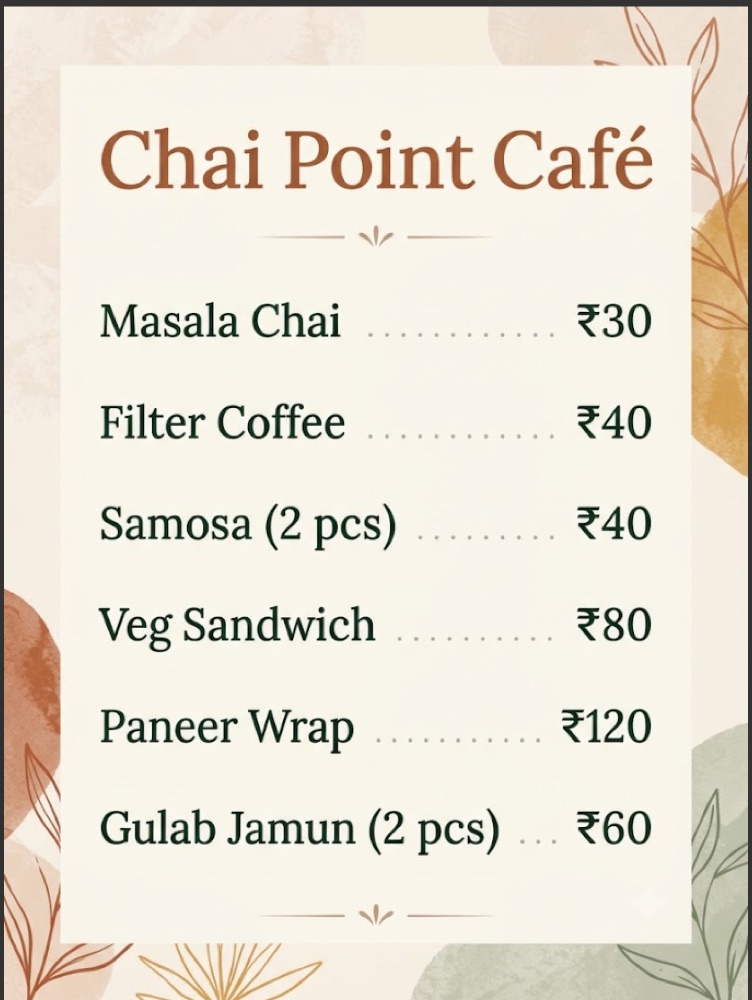
Both menus had all six items, every price and a correctly drawn ₹ symbol. ChatGPT added a strip of food photography under the list without being asked: chai in a kulhad, samosas, a sandwich, a wrap and gulab jamun. It's attractive, but check that the pictured food matches what you actually serve. Gemini's card was text-only on a soft watercolour background, which is closer to a printable menu as it stands.
Scores
| Test | ChatGPT (free) | Gemini (paid) |
|---|---|---|
| English sale poster | ✓ Text correct · strong design | ✓ Text correct · plain layout |
| Hindi sale poster | ✓ Devanagari correct | ✓ Devanagari correct |
| Menu card with ₹ prices | ✓ All prices correct · added food photos | ✓ All prices correct · print-ready |
| Watermark | None visible | Small ✦ in corner |
✓ = usable as is. One first-try result per test; AI output varies, so your results may differ.
Where Canva fits
Neither AI tool replaces Canva; they feed it. Once you have an image you like, Canva is the fastest way to finish the job: swap in your real logo, adjust a price, add a second language, and resize the same design for an Instagram post, a WhatsApp Status and a printed A4 poster. It also has thousands of Indian festival templates if you'd rather start from a layout.
For most small shops, Canva's free plan is enough when the AI image itself comes from ChatGPT or Gemini. Its paid plans mainly add premium templates, brand kits and one-click resizing.
A workflow that works today
- Write the exact text first: offer, shop name, phone number, prices, and the Hindi or regional-language version. Put it in quotes in your prompt, as we did.
- Generate in ChatGPT or Gemini. Ask for the colours, festival and format (square for Instagram, portrait for Status or print).
- Proof-read every word and number the AI drew. Ours were all correct, but one wrong digit in a phone number or price is costly. If anything is off, fix it in Canva rather than regenerating.
- Finish in Canva: add your logo and resize to 1080×1080 for Instagram, 1080×1920 for Status and Stories, and a print-quality PDF for banners.
Rules to stay out of trouble
- Don't misrepresent your product. If an AI image shows food or goods that look meaningfully different from what customers receive, expect complaints. Use it for the setting, not to change the product.
- Don't use celebrities, film characters or other brands' logos, even if the tool will generate them. That's an easy way to receive a legal notice.
- Check the commercial-use terms on your plan. The major tools generally allow you to use what you create for business, but read the terms for the plan you're on.
- Proof-read every number. A wrong price on a poster is a promise a customer can hold you to.
Which should you pick?
Start with ChatGPT's free plan. In our tests it matched paid Gemini on accuracy and produced the more polished designs, at no cost. If you already pay for Google One storage or work mostly in Google's apps, Gemini is just as accurate and its plainer layouts are easier to customise. Either way, finish in Canva's free plan. That combination costs nothing and covers most festive needs; if you make creatives every day, a paid plan from either company raises the daily limits.
We'll update this article with a product-photo editing test and more tools after the festive season.
npulse.io is independent and is not paid by any of the companies mentioned. Phone numbers and shop names in our test images are examples. Results are from tests run on the date above; AI tools change, so yours may differ.

Vijay Khemani is the founder and editor of npulse.io and an independent technology consultant in New Delhi who advises enterprises on GenAI adoption and automation. More about npulse.io · Corrections: help@npulse.io